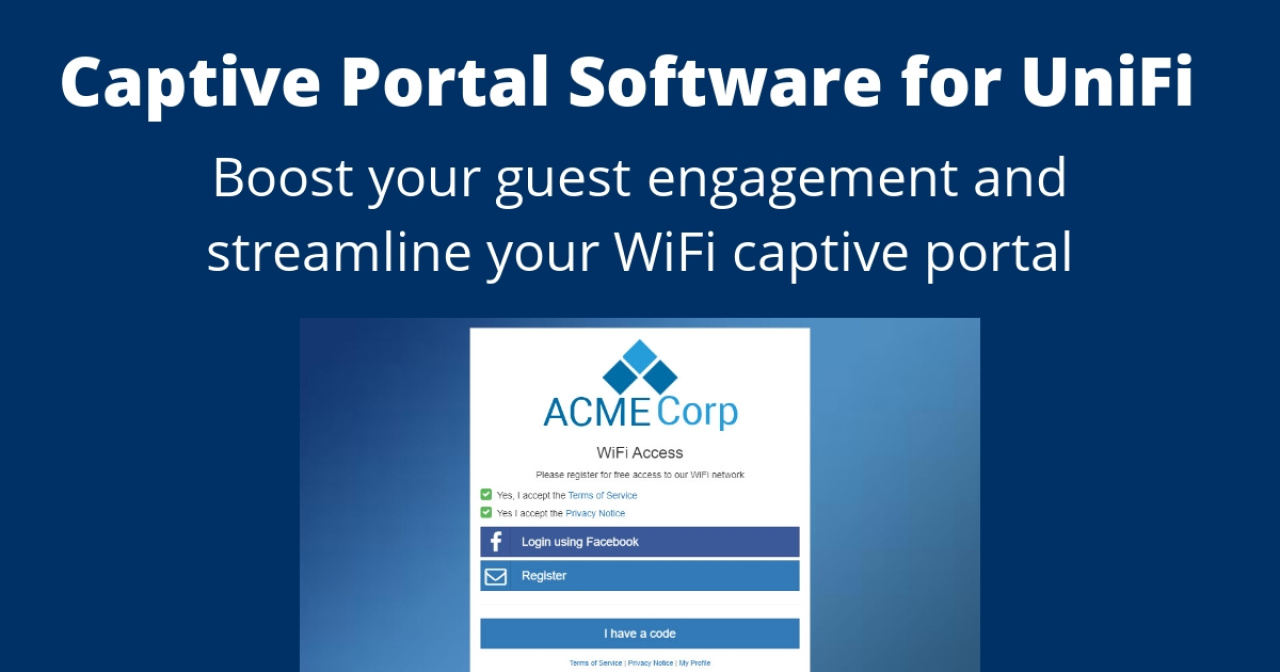
External vs Built-In UniFi Captive Portal: Which Should You Use?
The UniFi Network Application includes a built-in captive portal that covers basic guest WiFi scenarios. But for many deployments — hotels, multi-site MSPs, campgrounds, co-working spaces — the built-in portal falls short. This is where an external captive portal like Art of WiFi comes in. Let's compare the two approaches so you can decide which is right for your network.
How They Work
Both options use the same underlying UniFi guest authorization mechanism. When a client connects to a guest SSID, the UniFi gateway intercepts their traffic and redirects them to a captive portal page. The difference is where that portal page is hosted and what it can do.
The built-in portal is hosted within the UniFi Network Application itself. It provides a simple splash page with a few customization options.
An external portal runs on a separate server and communicates with the UniFi controller via its API. This decoupling allows for far richer functionality, custom branding, and integrations that are simply not possible with the built-in option. For a detailed look at the technical flow, see our technical guide on how UniFi captive portals work.
Feature Comparison
Splash Page & Branding
Feature | Built-In Portal | Art of WiFi (External) |
|---|---|---|
Custom logo | Yes | Yes |
Custom colors, fonts, and CSS | Limited | Full control |
Custom form fields | No | Yes |
Accept Terms of Service | Yes | Yes |
Accept Privacy Notice (GDPR) | No | Yes |
Multi-language support | No | Yes |
Authentication Methods
Feature | Built-In Portal | Art of WiFi (External) |
|---|---|---|
Simple password | Yes | Yes |
Email registration | No | Yes |
Social login (Facebook, Instagram) | No | Yes |
Azure Entra ID SSO | No | Yes |
SMS one-time passwords | No | Yes |
Hotel PMS integration | No | Yes (Mews, Apaleo) |
Paid WiFi access | Yes (basic, insecure) | Yes (vouchers and Stripe payments) |
Sponsored access | No | Yes |
A note on vouchers: the built-in UniFi voucher system is limited to basic codes with no control over print or email layout. With Art of WiFi, you can fully customize voucher print and email templates through the admin interface, and vouchers can be configured to auto-expire at a pre-defined date — useful for seasonal passes, event access, or time-limited promotions.
Management & Integrations
Feature | Built-In Portal | Art of WiFi (External) |
|---|---|---|
Guest registration data export | No | Yes (CSV, Excel, API, webhooks) |
Mailchimp integration | No | Yes (native) |
Webhooks | No | Yes |
Scheduled PDF reports | No | Yes |
Multi-site management | Per-site only | Centralized dashboard |
GDPR self-service portal | No | Yes |
White-label for MSPs | No | Yes (self-hosted) |
Self-hosted option | N/A (part of controller) | Yes |
Managed cloud option (CPaaS) | N/A | Yes |
When the Built-In Portal Is Enough
The built-in UniFi captive portal is a perfectly reasonable choice for simple scenarios:
A single small office or cafe with one SSID where guests just need to accept terms before getting online
You don't need to collect guest contact details or registration data
Basic password-protected guest access is sufficient
You have no compliance requirements (GDPR, data retention policies)
For these use cases, the built-in portal works well and requires no additional setup beyond what the UniFi Network Application already provides.
When You Need an External Captive Portal
An external captive portal becomes essential when your requirements go beyond basic guest access:
Hotels and hospitality — you need PMS integration so guests can authenticate with their last name and room number using systems like Mews or Apaleo
Multi-site deployments — you manage multiple locations and need centralized management with per-site branding
Guest data collection — you want to capture email addresses, phone numbers, or custom fields and export them to your CRM or mailing list
Paid WiFi access — you want to monetize guest WiFi with flexible pass types and secure Stripe payment integration
Enterprise SSO — corporate or educational environments that require Azure Entra ID authentication
Data sovereignty — you need guest data to stay on your own infrastructure with a self-hosted deployment
MSP / service provider — you want to white-label the platform and offer captive portal services to your clients under your own brand
Deployment Options with Art of WiFi
Art of WiFi offers two deployment models to match your operational preferences:
Self-hosted software — install on your own server (Linux/PHP). Full data ownership, complete control, white-labeling available.
Captive Portal as a Service (CPaaS) — fully managed by us in the cloud. Zero maintenance, hosted in EU, NA, or Asia regions.
Both options provide the same rich feature set. The choice comes down to whether you want to manage your own server or prefer a hands-off managed solution.
The Bottom Line
The built-in UniFi captive portal is a good starting point for basic guest access. But the moment you need email capture, social logins, PMS integration, paid access, multi-site management, or data export capabilities, an external portal is the way to go.
Art of WiFi is purpose-built for UniFi networks, which means deeper integration, better compatibility, and features specifically designed around the UniFi platform. Whether you choose self-hosted or our managed CPaaS, you get a professional captive portal that grows with your network.
Ready to upgrade your guest WiFi experience? Explore our captive portal solutions or contact us to discuss your requirements.
Frequently Asked Questions
Can I switch from the built-in portal to an external one?
Yes. The UniFi Network Application has a dedicated setting to use an external captive portal. You simply configure the external portal URL in your guest network settings, and all guest traffic will be redirected to your external portal instead of the built-in one.
Does the built-in UniFi captive portal support email registration?
No. The built-in portal supports simple password access and basic click-through (accept terms) access. For email registration, social login, SMS verification, or any form of guest data collection, you need an external captive portal solution.
Do I need to modify my UniFi hardware to use an external portal?
No. External captive portals work with all current UniFi gateway hardware (UDM, UDM Pro, UDM SE, UXG Pro, USG, etc.) without any modifications. The external portal option is a standard feature of the UniFi Network Application.
Is an external captive portal more difficult to set up?
With Art of WiFi's managed CPaaS option, setup is straightforward — you configure the external portal URL in your UniFi settings and the portal is ready to go. The self-hosted option requires a Linux server with PHP, but we provide documentation and support for the installation process.
Posted on: March 9th, 2026
By: Erik Slooff
On: Captive Portals
UniFi
Captive portal
Comparison
Guest WiFi
External portal
About the author

Erik Slooff
Owner & Lead Developer
For more than 10 years I’ve specialised in UniFi® guest-WiFi solutions—ranging from email-capture and SMS phone-number verification to Azure Entra ID single-sign-on and multi-site analytics dashboards. Posting as @slooffmaster in the Ubiquiti Community, I’ve contributed 160 + posts, 8300 + replies and 300 + accepted solutions that help network admins worldwide. Today our solutions secure and provide analytics for 2500 + UniFi networks across retail, hospitality, government and education in 70 + countries. Customers use our solutions to authenticate users, meet regional privacy requirements (GDPR, CCPA, etc.) and unlock marketing or loyalty insights, and more. When I’m not refining captive-portal flows, you’ll find me benchmarking new UniFi firmware or contributing to our open-source code on GitHub.